What is a DMCA Takedown Service?
A DMCA takedown service finds copies of your content that you did not put online, and files the paperwork that gets them removed. That is the whole product. Everything else — dashboards, alerts, monthly reports — is bookkeeping around those two jobs.
The name comes from the Digital Millennium Copyright Act, a 1998 US law. The part that matters to you is short: if a website hosts your copyrighted work without permission, you can send its host a formal notice, and the host has a strong legal incentive to remove it quickly. That incentive is the entire mechanism. There is no court, no filing fee, and no lawyer required.
What you are actually sending
A takedown notice is an email with specific required parts. It has to identify the work, identify where the infringing copy lives, and include a statement — made under penalty of perjury — that you are the copyright owner or authorized to act for them.
That last part is not decoration. Section 512(f) of the same law makes it illegal to knowingly misrepresent that something is infringing, and people have been sued for it. This is why any service worth using will ask you to confirm you are the creator before it files anything on your behalf.
Who receives it
Notices go to whoever can actually remove the file, which is usually not the person who uploaded it:
- The file host — the service storing the actual video or image set. A successful notice here kills the download itself.
- The search engine — Google and Bing will remove a URL from their results even when the page stays online.
- The site's hosting provider — the escalation when the site ignores you.
Removal and delisting are different things
This is the distinction most people arrive without, and it changes what you should expect.
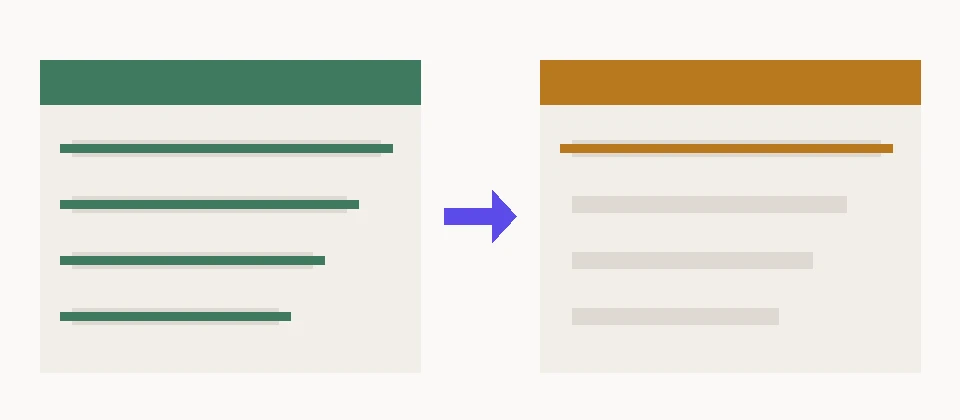
Removing the file means the content is gone. Delisting means the page still exists, but no longer appears when someone searches your name. Both are worth having. Only one of them is what people picture when they say "take it down."
In practice, delisting is often faster and more reliably achievable, because Google has an obligation to process notices and an offshore forum has none.
A page nobody can find is not the same as a page that does not exist. It is still, for almost every practical purpose, the outcome you wanted.
Where it stops working
Three cases where a takedown notice does very little, and any service claiming otherwise is selling you something:
- Hosts outside US jurisdiction that ignore notices entirely. Some leak forums are hosted specifically because their operators do not answer. You can delist the page from search; you cannot make them delete it.
- Private channels. Content circulating in a closed Telegram group or a Discord server is not indexed, which means it cannot be found by scanning and cannot be delisted.
- Reuploads. A removal is a snapshot. The same file reappears on a new host a week later, and the notice has to be sent again.
That third one is the real argument for a service rather than a one-time cleanup. Filing one notice is something you can do yourself in an afternoon — the official Google form is free and public. Filing them continuously, catching reuploads within days, and tracking which hosts responded is the part that does not fit around a job.
What to ask before paying anyone
Ask how they find content, whether they file under their own name or yours, and what they do when a host refuses. The answer to that last question tells you most of what you need to know. A service that says every leak can be removed is either inexperienced or lying, and both cost you the same.
We publish what each plan covers, including the free scan, so you can see what you are getting before you decide anything.